We respect your privacy

























The beginning of the year is always the time for hosts to fulfil their first annual legal obligation, which is submitting Form TZ2 to the Tax Administration. Although the deadline for submitting the form remains the same, that is, by January 15, find out what is changing.
One of the legal financial obligations of hosts is paying the membership fee to tourist boards, in the amount of 5.97 euros per permanent bed and 2.99 euros per extra bed per year. The payment deadlines are the same as the deadlines for paying the tourist tax, which means the membership fee is paid in three equal instalments.
The first instalment is due on July 31, the second on August 31, and the third on September 30 of the current year. The host may also choose a one-time payment option, in which case the full amount is paid by July 15.
What is changing in the submission of Form TZ2?
However, before paying the membership fee itself, hosts are required to submit Form TZ2 to the Tax Administration, in which they declare the number of permanent and extra beds, the total gross turnover from the previous year, and the calculated membership fee amount.
The deadline for submitting the form is January 15, and an important change from 2025 is that Form TZ2 can now be submitted exclusively electronically, through the eGrađani system, that is, ePorezna.
The form is submitted for the current year, while the total amount of income from the turnover records entered into the form refers to income generated in the previous year, 2024. Hosts who deregistered the provision of hospitality services in the previous year do not submit Form TZ2.
In mid-December 2024, the “Act on Amendments to the General Tax Act” (Official Gazette 154/2024) entered into force, prescribing that this obligation of hosts is now carried out through the eGrađani system. This means that hosts can no longer send Form TZ2 to the Tax Administration by email or post, nor deliver it in person. Therefore, to fulfil your obligation, you must complete and submit Form TZ2 through the eGrađani system.
How to log in to the ePorezna system?
After logging into the eGrađani system, you need to enter the ePorezna pages. You can also do this directly, without first entering eGrađani, and thus shorten a few search steps, via the following link: e-porezna.porezna-uprava.hr/Prijava.aspx
The system will then ask for your login credentials, and you can log in in one of the following three ways:
- using an electronic ID card (a smart card reader is required)
- using an m-banking mobile application (available at most banks in Croatia), or
- by obtaining login credentials at a FINA branch office (you must request the credentials in person at the branch office, presenting your ID card or another identification document).
It is important to note that Form TZ2 may only be submitted by the person in whose name the categorization is registered, which means that, for example, another family member who uses the eGrađani system will not be able to do it on your behalf.
Below we provide instructions on how to complete Form TZ2.
Instructions for filling in the form
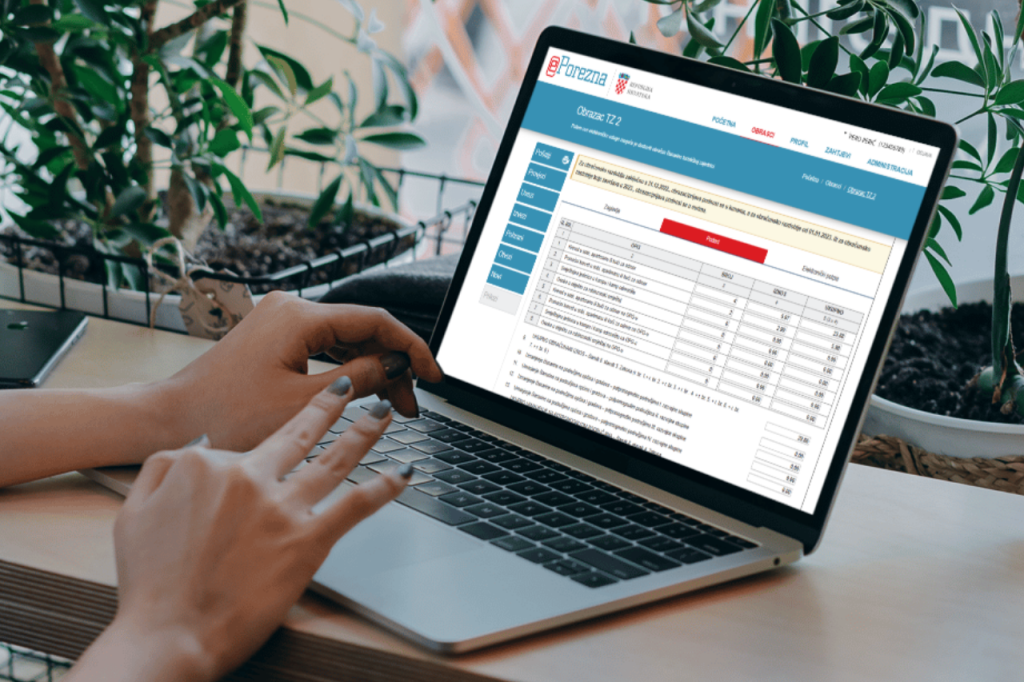
After logging into the ePorezna system, type “TZ2 form” into the search box and select the link to the form that the system will automatically offer you. When that section opens, you first fill in your personal data. You need to select from the drop-down menu which municipality or town the host belongs to, according to the place of residence, and then proceed to the “Data” section where Form TZ2 opens and must be completed.
In rows 1 to 9, in the “Number” column, you enter data on the number of beds you have, row 1 for permanent beds, row 2 for extra beds. In the “Amount” column, you enter the membership fee amount per bed, 5.97 euros for a permanent bed and 2.99 euros for an extra bed, while in the “Total” column you enter the product of the number of beds and the membership fee amount per bed. For example, if you stated that you have 4 permanent beds, multiply that number by 5.97 euros, which totals 23.88 euros, and enter that in this column.
You then enter the total calculated amount in row 9, that is, the sum of all amounts from the previous calculations, while data in rows 10 to 13 are filled in only if your municipality or town is located in assisted areas, development group I–IV of local self-government units, in which case the reduction amounts to 20%.
If there is no reduction, the calculated amount after reduction, row 15, is identical to the amount in row 9, that is, the total calculated amount. In row 16, you choose whether you want to pay the membership fee in a lump sum or in three equal instalments and, according to which of the two options you selected, you enter the amount in the column next to the selected payment method, the total amount if you chose a lump-sum payment or the amount divided by 3 if you chose instalment payment.
Final check and submission of the form
At the very end, before performing the final check and submitting the form, you need to enter in row 17 the total amount of income from the turnover records from the previous year. The gross amount is entered.
Then click “Check”, and if you entered something incorrectly, the system will notify you. If everything is correct, you will receive such information and you can select “Send”. At that point, Form TZ2 has been submitted, and you will receive a confirmation, which it is advisable to keep in case you need to prove that you fulfilled this obligation.
You can also find more detailed instructions with illustrations, an example of a completed form, and information on how to find Form TZ2 in the eGrađani / ePorezna system in our article GUIDE – HOW TO COMPLETE FORM TZ2 THROUGH THE EGRAĐANI SYSTEM, which will guide you step by step through this procedure.