We respect your privacy



























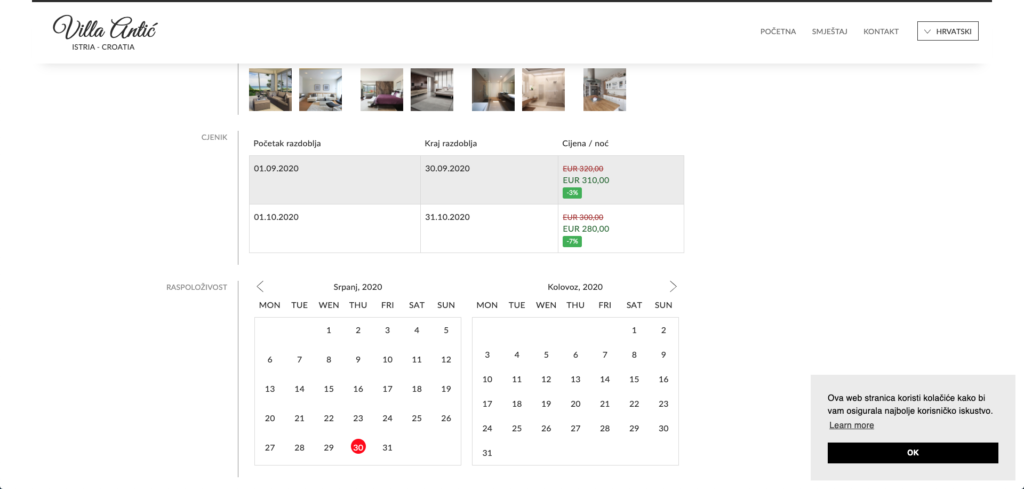
To make it easier for our users to book remaining available dates, we have added a new tool for displaying promotional prices. This tool helps Apartmanica platform users highlight unbooked periods within the calendar and inform potential guests about a promotional price. This kind of information can speed up the sales process and further encourage the guest to make the reservation directly through the website.
How to add a promotional price
You can add a promotional price by accessing your user interface.
You need to click on your accommodation unit and open the pricing section.
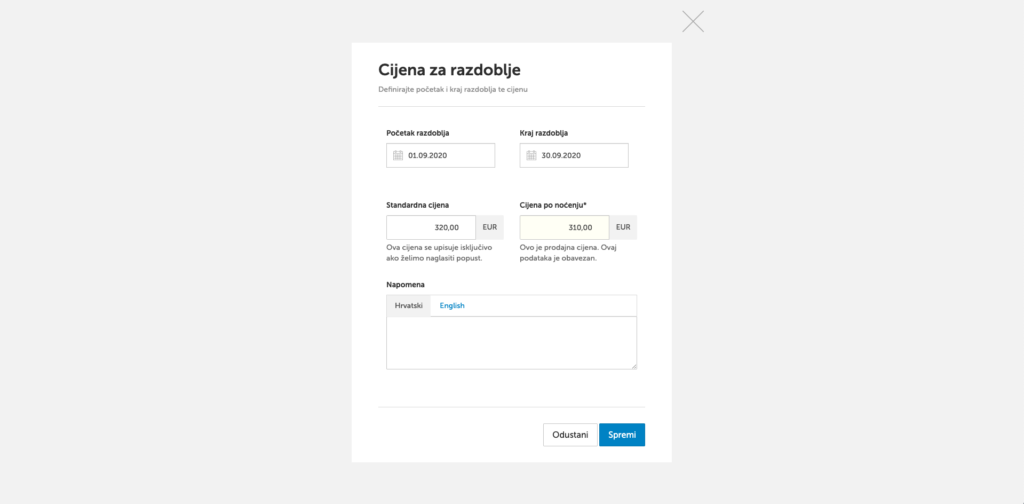
Within the pricing section, a new field has been added: Price per night - regular, where you enter the standard price, while in the Price per night - sale field you enter the price that will be displayed as a discounted price.
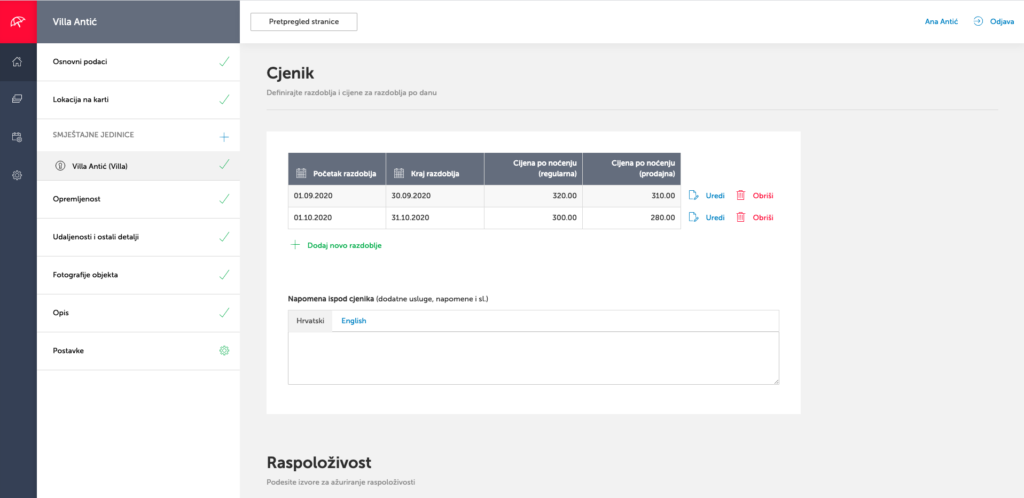
To add a promotional price to your pricing list, click the blue Edit button and enter the standard price and the sale price.
For the promotional, that is, sale price to display correctly, the entered amount must always be lower than the amount in the standard price field.
The sale price must always be lower than the regular price for the promotional price to display correctly.
Where the promotional price is displayed
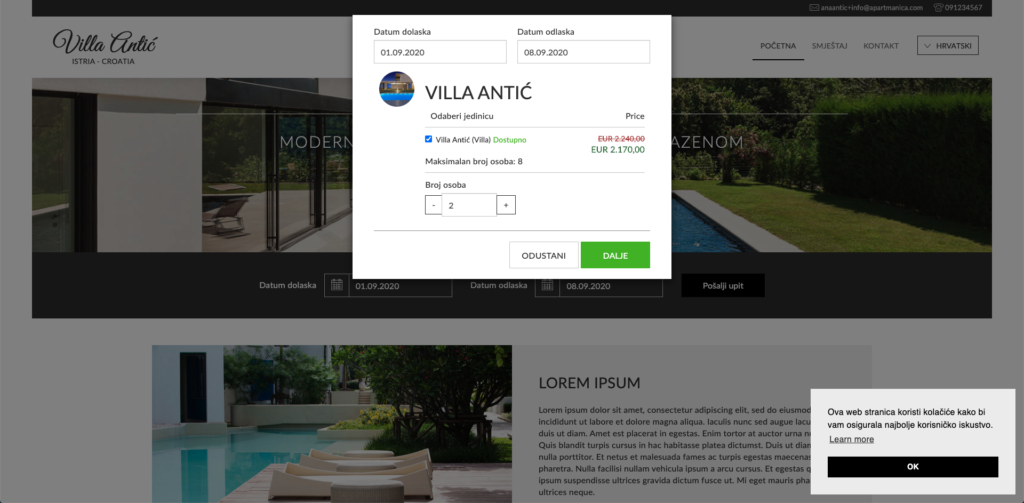
The promotional price will be displayed in the booking form on the homepage when the guest selects a requested date for which a promotional price has been added, as well as on the Accommodation subpage, within the calendar and the booking form.
Make the most of your property’s full potential and take renting into your own hands.